Home brew robotics with autonomous behaviors. That's what this blog is all about.
This site is all about showing you "how-to" while showing off my "Bots."
We've got:
Tracked Robots,
Legged Robots,
BEAM simple Robots,
Stand-Up Robots,
Square Wheeled Robots...
Visit C WHAT I CAN DO
4.10.2014
BeagleBone Black replaces picAxe for robot control
How I took a robot which uses picAxe and replaced the 18M with the beaglebone black. In some ways, the BBB had a tough time because I could only get three PWMs to work. Since I was using a couple of servos to move the IR detector all around. For this demo, I "centered" the two servos and used a backup and turn routine to move the robot away from objects in it's path.
You can check out the whole article on the cWhatIcanDo.com website.
This was pretty fun, though it took a while to decide which pins to devote to Analog inputs and PWM outputs. Part of this works well, for example, with the picAxe, you have to turn off the PWM to motor drive in order to run the PWMs for servos. That is why the BBB version can work somewhat better.
I used only the javascript and cloud9 editor. This was done with an earlier release of the operating software Angstrom. This disabled the HDMI, which worked fine before the conversion to a later style OS.
This video shows the evolution of the power chair Robot base into a completely autonomous base with built in Infrared sensors: One left, one right, and another in the center provide enough sensors to allow the Robot to Navigate the big deck at our place.
The mighty Ping))) ruled the earth until along came the super-empowered Pong))))) !!!!!!!!!!!!
Pong The 12volt alternative for robotics work hugely shockproofed. Also using pvc pipe as Robot Body...
I just realized that I hadn't written much lately, I also realized that I forgot to chronicle the Pong))) project. Seeing I was remiss, I decided this would be a great time to update you on the "How it Works" front.
While this video is murky and duplicative, it is still a worthy demonstration of the success the project is having. It has come further than this already, I believe it's close to ready to become real. I haven't heated up the soldering iron in a while, since I'm working on another couple of projects, so I'm sort of rotating the three or four things. Since they are in too feeble a state just yet, soon I will pull the trigger and one of them will be pulled to the main chute. Then I'll be to busy with that one item I'll probably neglect the whole blog scene.
As usual, all this and more detail for the do it your own way amongst you. It's my hope to benefit us with the ability to convert all wheelchairs into wheelchair Bots... If I never mentioned it before and not that you'd actually fret about it anyway, I would like us to have automobiles as Bots too. But, that's a tough one for an early adapter of the gasoline powered locomotive device. But, google's smart car is out their, right now. I don't have that kind of money, so I'll be happy if the ultrasound sonar works at outside temperatures. How quickly a Ping))) or MaxSonar turns to crap on chilly mornings. Not good for a garden bot in the bay area.
See the project falling together at:
Indiegogo campaign got one subscriber. Colossal Fail :-(
I realize the i-Mon App Blog: http://imon2100.blogspot.com/ is telling a "startup story," it's just like any startup, any time. Failures are opportunities!
Sure, I have a solution, and have already started (if you read the blog, you get a status report) on the road to Change (A Solution, moving toward THE SOLUTION.)
Things Robotic
I'm now figuring out what this blog could do, tell you what I'm doing lately, Robo-Wise.
So Here's what's cookin' in the "Labs" here in Roboto Land.
The mighty PONG project:
Design: I am having some difficulty in the design, an instability is plaguing me in the receiver, but it's all wiggling. I can pick up reflected signals, that is, make it work like the not-so-mighty, but plenty famous Ping))) ultrasonic object recognizer.
What it is a ruggedized version of the well-known Ping))) first step is to examine what it is that makes the Ping almost useless in a rugged outdoor environment. So Apart I took 'em. Two types, one a single "transceiver" the other a double, separate transmit and receive units.
I found a couple of problems:
The actual transducers are not rugged, in fact they are dainty. I think this little video can show you what they are like mechanically. I found equal electrical and transducer failures in the five sample SFR04's I tested. I now have only one workable SFR04 and another that has lost it's transmit power and is pretty useless. SFR04's are more dainty than the Ping))). SRF04's are cheap, around five bucks, but they are even worse than the Ping, which by my studies is not Strong enough to hold up.
Meet Pong)))
I'm taking advantage of the use of ultrasonic transducers in automobile applications, apparently the people at Parallax are thinking like me, because they have begun to stock an outdoor, ruggedized transducer: I realize I'm doing this at my 1/2 person lab and Parallax has more geniuses / sq ft than I do:
The receive unit is not stable yet.
And that's where I'm stuck. There is an inherent instability in there somewhere. I shall find it.
The latest project around these parts is the introduction of what we call the i-Mon App. It is a new project listed on Indiegogo.com, a crowd funding operation near here in Silicon Valley.
The App itself is built on the Sencha Touch, html 5 javascript framework. It looks beautiful as you can see it run in the video on the Indiegogo website. Below's a video of the app in action.
We are looking for enough participants to be sure we can create and support the App. If you think it's a great idea who's time has come, then join in with us and make the i-Mon App Go Go!
On Line Neighborhood Watch or, Two Camera Switcher I have a 4 camera security camera setup, two cameras point to the street outside where a camera on the shed sees the traffic coming and another on the back of the shed sees traffic going. Since we live at the end of a dead-end street, the neighborhood gets interested whenever someone goes up to the end of the street.
Most of the time, when a car goes by, it comes right back as soon as it discovers there is no outlet. These cars aren`t of much interest. It is the occasional car or truck that goes up the street and doesn`t just come right back.
To solve this issue, I volunteered my two street cameras to my neighbors, thus creating the first coming and going traffic cam in "the hood." Cars that stay too long can be visited, or you can simply note the license plates.
One of my neighbors intends to hookup the feed to an old VHS tape recorder. He can change tapes every couple of days, and if someone is up to "no-good," he has a recording to turn over to the sheriff.
All in all, this Neighborhood watch setup works great. It is possible that we could use the same type setup on another part of the street, then next thing you know our whole mile long neighborhood road is on line and discouraging parking couples, drinking parties, and wood pirates stealing our firewood. Of course, this was a great build it yourself project for the C What I Can Do Website And it is kinda cool to serve my own security cameras! My street is famous (on my street, of course.)
Yes, we hear all about Arduino and they ARE great with lot`s of developers creating lots of software. The real "competition" if you care to call it that, is between the chips themselves. This boils down to PIC chips against Atmel chips. PIC chips generally speaking require a more technical approach and special programming tools. The compilers are not often simply free, so the investment is larger.
Enter the picAxe chip. Here someone took a PIC chip and put a bootloader (like arduino) but just a little more... A BASIC interpreter! So you can hook up a PC as a terminal and program in BASIC.
So I created a benchmark test: Blink Ten LED`s in sequence. Easy peasy with picAxe dev board. Not so easy to get ten grounds from an Uno. Not without either buying a pins-in breadboard for your Uno, or soldering iron and breadboard shield, but the soldering messes up the apples vs apples tests.
In Summary:
1. I like, neigh Love, Arduino Uno. It`s hard to beat an Arduino Uno with an added proto-board. The great software is off the charts, and complex projects get easy.
2. Since the introduction of the M2 parts, you can`t beat a picAxe for lowest cost, electrically tough parts.
3. The new kid on the block uses a group of parts for creating an UNO using a pin-block and handful of glue parts. Now you have both the advantages of the picAxe dev system (lots of pins for experimenting). And the software for Atmel chips. I like this approach, though I haven`t tested it thoroughly just yet. I may leave that part up to you.
See the whole project at C What I Can Do .com and enjoy developing what ever flavor you choose!
You guessed it... It's not really a ghost driving the wheelchair. The wheelchair is Autonomous! That's right, this wheelchair can take you on a tour of a rather large area...
There's a new robot in town and it is finding it's way along my messy deck.
Check out the action and how-to build your own on CwhatIcanDo website.
This wheelchair is getting smarter. Er, uh, this ROBOT is getting smarter. And you can STILL use it as a wheelchair. You will have to modify the software so you can turn it on and off, but imagine you could send it loose on a piece of land it would avoid collisions with farm animals and give an auto-tour of the property to the wheelchair rider! :-)
The latest video on CwhatIcanDo.com. This one is for people with power chairs who would like to be able to have wireless control over their wheelchairs. This one can allow freedom to move your chair aside when you plop down in a favorite chair or visit with people at the table. Just move the power chair aside under remote control.
This is about as simple as you can make a thing. Once I established the presence of a 3 volt power source, I knew I could run the whole unit on 12 volts directly from the power chair. (Remember in another project, we use an H-bridge to robotically control things?)
This time I wanted to continue to use the controller I already had and add sensors. To test my ideas, I made a pretty simple wall follower type algorithm and that made it happen like this:
So now I can keep a robot on the straight and narrow using IR in close quarters. I expect a sonar would also be nice, so I guess I will have to add a sonar ping'er and give that a try.
Next time, though, I'm really thinking about making something really practical for wheelchair owners. Not that it isn't practical to manage a wheelchair through narrow passages, but that can come later.
I've been wanting to make a robot that could haul stuff around while I work around the garden, plus I wanted my grandkids to be able to ride on it. In the best case, I WANTED to RIDE IT!
So I began pursuing old beat-up power wheelchairs. Finally, my waiting and looking paid off and I obtained a relatively modern older power chair called the Mini Jazzy. It could pull a 250 pound person up a 5% grade, so it should have no problem with a 60 pound grandchild or probably even a 160 pound grampa. For a month or so, I underwent subtle humiliation when my wife would announce to friends that I had a wheelchair! It's a Robot, I insisted having even taken off the chair. Finally, I could take it no longer so I decided to build out enough of a robot to put it into a controlled loop Forward, Backward, Left, Right, and Stop. This is the first step to almost any robot project I've done. I would have a robot! No wheelchair for me.
Because of all the research I had to do (the web doesn't give up much help on this subject) I decided to make my goal a little bigger than just making a fun bot that doesn't do too much to help anyone, just to entertain myself. So I decided I would make it so you could still control the wheelchair even with the robotic control. Now a disabled person could bring the power chair to them from across the way.
I could even put sensors on it so it could assist another person in ushering a handicapped person in a crowd, just like I discovered the Japanese doing. In fact, I decided it would be more fun to create something that could help out handicapped people than to make an IED "sniffer". It's more fun to make love than war. So this project is what you might call my Robot Love Project...
This looks like the real thing. Real enough. It's low-cost (darn-near cheap!) yet has a 2.4ghz Nordic radio, so the controller has a video screen from which you view the video camera on the robot itself. Yes, it's powered by Linux. Yes, there is a USB port which allows you to upload your own and other's programs.
And you can program the bot to run routes.
One pile of really really fun kid stuff!!! But around here, it's open to being hacked, modded, re-purposed and folded spindled and mutilated.
This is another C What I Can Do video at cWhatIcanDo.com, so take a look. C What I Can Do .com I have a feeling we will be back to this project, I've downloaded the software and have almost clean compiles of all the sample projects. I've downloaded speed control programs which allow you to tweak the PWM motor drivers... This is going to be some fun ripping into the little compact box. Let's hope it doesn't disappoint. It hasn't yet.
A successful writer is suffering confusion after his involvement with an American Indian group who are involved with mysticism, the occult and strange stuff goin' on all around him. This confusion leads him to corruption, attempted murder (his own) and an involvement with a mysterious woman who get's caught up in the mysteriousness as well.
By publishing on kindle anyone reading this blog can download a copy of the book for pc, mac, iphone, android, ipad, and of course, kindle... The price of WBH is $5.95 and I've been told it's a pretty good read.
The sample download is free. You'll know if you are interested once you read the sample. I've got a Motorola Droid, the thing turned out pretty nice. I hope you like it, if enough people like it, I have others ready to follow. The next one has corporate intrigue and all sorts of entertaining shenanigans.
Here we go again. This time CwhatIcando.com has a continuation of my last project. This time, we secure the motor-control board and let our picAxe 08m drive our robot around. Note, we moved the IR detector to the optimum spot for avoiding floor objects. By using a little shim, we can move our beam up or down enough to make it avoid a carpet edge, or roll over anything but really big stuff:
I put this rumbleBot video up in response to all the Roboticists who are introducing the Arduino as autonmous controller. Here's an even cheaper way to make a cheapo bot.
Take a little motor controller board (15 bucks) Deluxe model get a picAxe 08m (4 bucks) Grab a Sharp IR unit (15 bucks) Don't forget the Rumble-Bot (5 - 30 bucks - mine was $4 at second-hand store)
So for around $40 bucks, you get a pretty amazing robot. If you leave the head on and put little sensor switches in the bot's hands, you have a pretty decent looking little robot.
Can you use a DROID, or other smartphone to operate a Robot directly? The ads infer that a Droid is better than other smart-phones, because you can reallly get stuff done with it. Basically, that is true. Without any apps, or only with free apps, you can still approach the phone as a programmer.
Yes Virginia, it is possible to imagine driving a robot around using the Droid itself for most everything but driving the high current to the wheels.
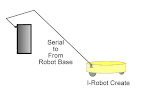
This is an ongoing project started on CwhatIcanDo.com so someday, someone will figure out the process for sending messages back and forth from a robot base, like the i-robot Create. Check out the more in depth coverage of the project at C What I Can Do website.
This is a robot! It's a virtual robot! You can play with it online.
Or, better still visit the How-To on CwhatIcanDo, where you can watch the video and look inside the Flash and ActionScript files to make your own, or modify the basic "unit". CwhatIcanDo
This is a how-to inspired by all the people who built variations on the robots I have constructed. The lightest weight robot "In the World"